






Neon Rocket
 Developer: Fun Best Games
Published: February 16, 2021
Controls: Touch
Game Technology: html5, Construct 3
Compatible Devices: Mobile (Android)
About Neon Rocket
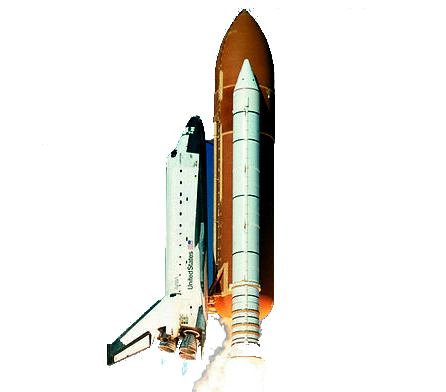
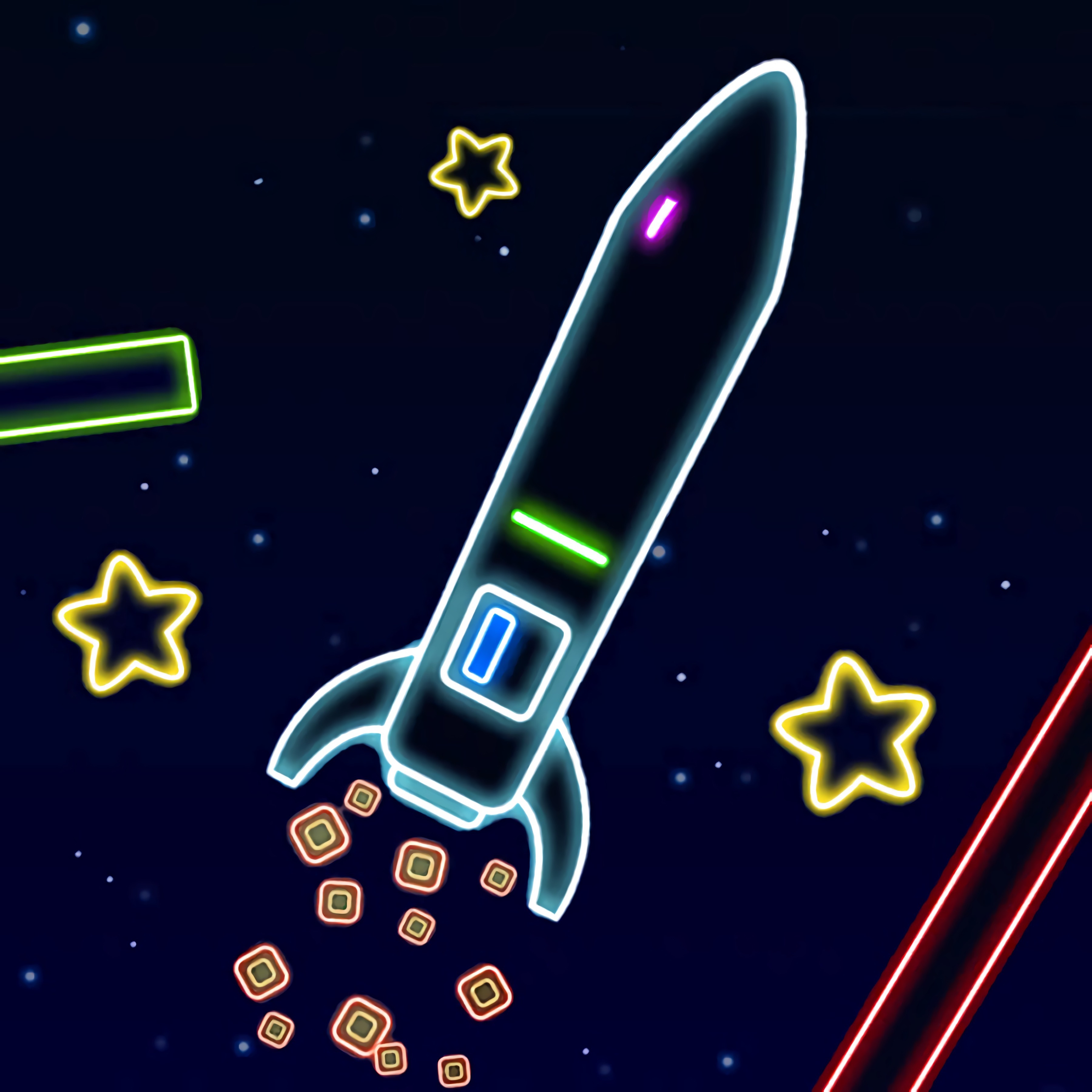
Tilt a glowing rocket through space as it fights your every move toward the next star. Neon Rocket turns a tiny spaceship into a loud little problem, because the tilting spaceship nose never wants to stay level for long. The black space backdrop makes every drifting neon star look tempting, but one heavy correction can send the craft straight into a wall.
This neon spaceship game is a casual game built around balance mechanics, rocket flight, star collection, and obstacle avoidance. It runs in HTML5 with Construct 3, so browser play starts with no download on Desura. The danger is immediate: miss a narrow obstacle gap by a few pixels, and the run snaps from smooth flight to spinning wreckage.
Unlike simple one-button flying games, the unbalanced flying game asks you to manage wobble from both sides instead of just rising and falling. Light taps matter more than long presses, especially when the glowing rocket trail starts drifting toward a corner. Casual players can retry fast, but the arcade challenge gets sharp when a safe-looking star pulls you into a trap.
Gameplay
Neon Rocket is built on physics-like movement that makes the spaceship feel loose, twitchy, and slightly stubborn. The rocket leans as it moves, so every correction creates a new angle to manage. If you push too hard, the nose swings wide and the next obstacle arrives before you can recover.
The star-collecting flight game rewards careful routes, not reckless grabbing. A star near the center of the screen is usually safer than one tucked beside a block, even if the risky one looks easier at first glance. Clearing a tight cluster of obstacles with the rocket barely level feels clean because one bad tap would have ended it.
For players who like movement games with constant danger, Geometry Vibes X-Ball offers another fast obstacle rhythm, while Ski Safari shares that “recover before the crash” pressure. Here, though, the unstable controls are the whole fight. Skill-based timing is less about speed and more about staying calm when the ship begins to roll.
How to Play
Start by making small inputs and watching how the rocket reacts after each tap. The most common beginner mistake is holding a direction too long, which makes the craft over-rotate into the next hazard. When the body tilts, tap the opposite side once or twice instead of panicking.
Advanced balancing strategies come from planning two moves ahead. Aim for safer star paths when the screen gives you a choice, and skip a dangerous pickup if the exit angle looks ugly. A missed star stings, but crashing into a narrow obstacle gap ends the attempt completely.
Touch controls on Android mobile feel softer because your thumb can feather the input, while desktop keyboard controls feel more exact and sudden. Both work for solo play, but each demands a different rhythm. This balance game becomes easier when you treat every correction like a nudge, not a shove.
Controls
- Arrow keys — steer and balance the rocket on desktop
- Touch — adjust the rocket’s direction on mobile devices
Features
The neon visuals make distance easier to read without softening the danger. Bright stars float against the black space backdrop, and the glowing rocket trail shows how badly your ship is leaning. When that trail curves toward an obstacle, you know trouble is already on the way.
Replay value comes from short retry loops, score chasing, and learning which star patterns are worth the risk. One attempt might teach you to avoid a greedy corner pickup; the next might turn that same section into a clean pass. The punishment is quick, but so is the chance to fix the mistake.
The rocket skill game also stands out because its difficulty comes from control instability rather than crowded screens alone. It belongs naturally beside Rocket Games and Flying Games, but its wobble gives every flight a sharper edge. Even a quiet stretch can turn messy when the nose drifts at the wrong second.
Similar Games
If you enjoy the tension of steering something that never feels fully settled, Desura has other games with balance, timing, and obstacle pressure. These picks lean toward arcade movement rather than slow planning. A bad landing, missed angle, or late reaction can ruin the run fast.
- Bike Mania — a balance-heavy bike challenge where angle control matters on ramps and uneven terrain. It connects well with players who enjoy correcting unstable movement before a crash.
- Mad Skills BMX 2 — a BMX racing game with jumps, landings, and momentum control. It has a similar need for clean timing when the vehicle starts to pitch forward or back.
- Cargo Jeep Racing — a driving challenge where careful movement helps keep cargo steady across rough paths. It is a good match for players who like managing weight, tilt, and risk.
- Tractor Express — a vehicle balance game about carrying loads without losing control. The pressure comes from small mistakes building into a costly spill.
These games make every correction count, which is the same reason this casual arcade challenge stays tense after the first few attempts. You are not just moving forward; you are trying to survive the next bad angle. That one clean recovery before impact is often the moment that makes you hit retry.
Advantages
- Instant play in the browser with no download required.
- Works on Android mobile with touch controls and on desktop with keyboard input.
- Short retry structure makes quick sessions easy without losing the pressure of each attempt.
- Unstable handling gives the arcade challenge more depth than basic tap-to-fly games.
Frequently Asked Questions
What is Neon Rocket?
It is a casual HTML5 spaceship balance game where you guide an unstable rocket, collect stars, and avoid crashing into obstacles.
How do you control the rocket in Neon Rocket?
You control the rocket with the arrow keys on desktop or touch controls on mobile, using small adjustments to keep the flight balanced.
Can I play Neon Rocket without downloading?
Yes, it can be played instantly in a browser without downloading, with fast restarts that make it easy to try another run and explore more arcade games on Desura.
Video Gameplay - Neon Rocket


 Dracula , Frankenstein & Co
 Microsoft Word Twister
 Noob VS Pro 4: Lucky Block
 Car Stunt Driver
 Unicorn Beauty Salon
 VegaMix Da Vinci Puzzles
 Genie Quest
 Offroad Racer
 Fireboy and Watergirl 2: Light Temple
 Bubble Shooter Planets
 Microsoft Jigsaw
 Pinball Clash
 Bob The Robber
 Skate Hooligans
 Master Archery Shooting
 Math Quiz Game
 Dress up Games for Girls
 Taxi Simulator
 Color Galaxy
 Balloon Pop
 Bank Robbery
 Hyper Hockey
 Squid Gamer BMX Freestyle
 Super Onion Boy
 City Stunt Cars
 CrazySteve.io
 Steam Camp - Ben 10
 Super Dino Fighter
 Unlimited Math Questions
 Minesweeper Mini 3D
 Bowling
 Spongebobs Next Big Adventure
 Power Light
 Grand Zombie Swarm
 Tap Cricket
 Sort It - Water Sort Puzzle
 We Bare Bears: French Fry Frenzy
 Sweet Astronomy Donut Galaxy
 Water Slide Car Race
 Pregnant Anna And Baby Care
 Parking Space
 Food Pusher Challenge
 UFO Hoop Master 3D