






Monkey Teacher
 Developer: nau.games
Published: September 21, 2020
Game Technology: html5, Construct 3
Compatible Devices: Mobile (iOS, Android)
About Monkey Teacher
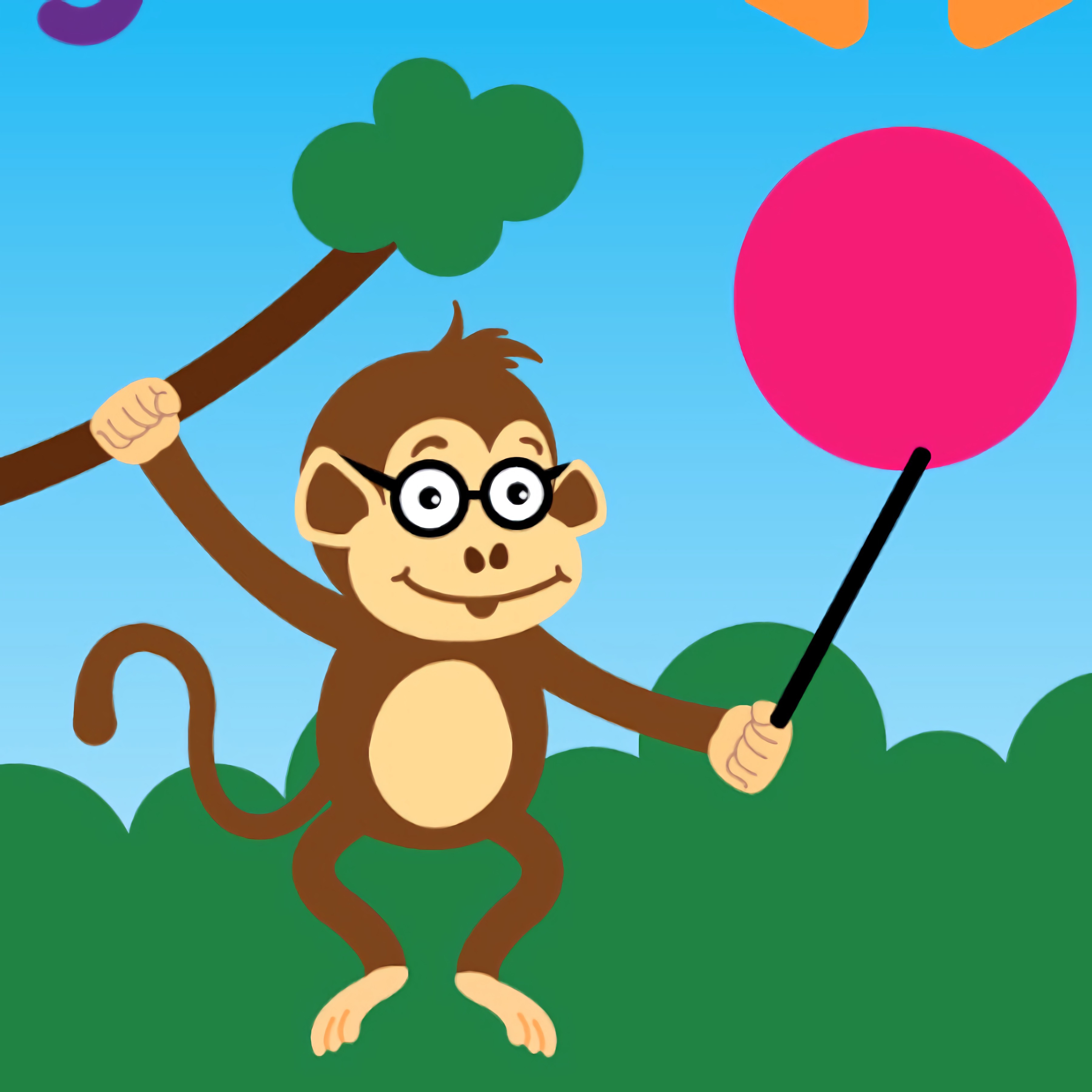
Guide Monkey Teacher as you trace bright shapes through a playful geometry lesson. This educational drawing game turns lines, circles, squares, and triangles into a calm classroom moment with a cute monkey teacher watching every move. If the bright tracing lines wobble away from the figure, the shape loses its clean look, so slowing down feels rewarding.
Built with HTML5 and Construct 3 by nau.games, the game runs free online in a browser with no download. It fits mobile, tablet, and desktop play equally well, so a phone screen, family tablet, or computer mouse can all become a small tablet classroom. One rushed swipe can pull a line outside the guide, but a careful pass makes the chalkboard shapes feel neat and complete.
The monkey learning game is made for young learners who are connecting hand movement with geometry recognition. Repeating the same geometric figures helps build visual learning, fine motor practice, and confidence with basic shape tracing. Compared with faster action games, this browser geometry lesson is calmer; compared with free-form drawing apps, it gives clearer goals and less room to feel lost.
Gameplay
Monkey Teacher presents bouncing geometric figures that ask for steady tracing instead of speed. A circle may look easy until the curve drifts too wide, and a square can lose its corners if the finger turns too soon. That small mistake matters because the lesson is about matching the figure, not scribbling past it.
Each shape-tracing activity keeps the screen uncluttered, which helps beginner-friendly solo play stay focused. Players who enjoy gentle learning may also like Alphabetic Train, where recognition and timing matter in a kid-friendly lesson. For a playful animal theme, Desura also has Monkey Games that keep the mood light.
How to Play
Start by looking at the whole figure before drawing. The common beginner mistake is rushing the line instead of following the shape carefully, and one fast drag can turn a triangle into a crooked trail. Slow tracing gives the rounded monkey paws time to “teach” the path.
Use touch input on mobile or tablet, or a mouse on desktop. The simple tap-and-drag input works well for younger players because there are no extra buttons to remember. For more classroom-style practice, Math And Dice Kids Educational Game adds number thinking to the same calm learning mood.
Controls
- Mouse or touch — draw geometric figures by tracing the shown shape
Features
This kids’ drawing title uses recognizable chalkboard shapes rather than abstract prompts. Circles, squares, and triangles appear as clear targets, so players can connect the name of a figure with the motion needed to draw it. Miss the edge, and the gap between the guide and the mark is easy to see.
Replay value comes from repeating shapes until recognition and hand control improve. Short casual sessions can still feel useful because one careful circle today makes the next circle steadier tomorrow. The reward is quiet but clear: a cleaner outline, a smoother turn, and less panic at the corner.
The visual style keeps the mood soft with bright tracing lines and a friendly classroom feel. Since the geometry game is not crowded with timers or noisy hazards, mistakes feel correctable instead of punishing. Players who prefer guided school play can try Dr. Panda School for another gentle setting.
Similar Games
If Monkey Teacher makes shape practice feel approachable, these related games lean into learning, drawing, recognition, or gentle logic. Each one gives players a different way to practice attention without throwing them into loud competition. Pick the one that matches the skill you want to sharpen next.
- Funny Monkeys Coloring — a drawing and coloring game with cheerful monkey pictures. It suits players who like calm visual play but want more color choice than guided tracing.
- Multiplication Simulation — a focused educational game for practicing math facts. A wrong answer breaks the streak, so careful thinking matters more than guessing.
- Flags Maniac — a visual recognition game built around matching country flags. It shares the same need to look closely before acting.
- Circus Words — a word-building puzzle with a friendly pace. It is a good next stop for players moving from shape recognition into letter and vocabulary practice.
Advantages
- Supports visual learning through clear geometric figures and repeated tracing.
- Uses simple tap-and-drag input that younger players can understand quickly.
- Works on phone, tablet, and computer without a download.
- Keeps solo play calm while still making sloppy lines feel noticeable.
Frequently Asked Questions
What is Monkey Teacher?
This educational drawing game lets players practice tracing fun geometric figures with a friendly monkey teacher. It focuses on geometry, shape recognition, and careful hand movement.
How do you play Monkey Teacher?
You play by following the shape on the screen and drawing it as accurately as possible with touch or mouse controls. If you rush the line, the figure can drift out of place, so slower movement works better.
Can I play Monkey Teacher without downloading?
Yes, this casual learning game runs online in a browser with no download. It works on phones, tablets, and computers, making it easy to move from one free online learning game to another.


 Dangerous Racing
 Uphill Bus Drive
 Bunnicula in Rescuing Harold
 Baby Hazel Doctor Play
 Paranormal Police
 Cut Rope Masha
 Crazy Car Racing Stunts
 Slenderman Must Die Silent Forest
 Real Football
 Princess Cupcake
 Red boy and Blue Girl Forest Adventure
 Super Car Crash
 Harlequin is Preparing an April Fools Rally
 The Spear Stickman
 Real Gangster Simulator Grand City
 Little Mermaids Dress Up
 Exploder.io
 Time Shooter 3: SWAT
 Bubble Shooter Infinite
 Extreme Baseball
 Airport Clash 3D
 Hurly Burly on the Farm
 Merge Cannon: Chicken Defense
 Red Ball Forever
 Car Racing in Fast Highway Traffic
 Color Race Obby
 Indian Cargo Truck Simulator
 Penalty Power - Ben 10
 Best Emergency Ambulance Rescue Drive Sim
 Insect Cush
 Box Race
 Penalty Shooters 2
 Hungry Shark World
 Atari Pong
 The Floor is Lava! Apple & Onion
 Princess Ready For Adventure's Date
 Battleships Armada
 Super Mario Run 2
 Euro Cargo Transporter Truck Driver Simulator 2019
 Happy Filled Glass
 Hungry Shark Arena
 Ninja The Frog
 Morning Mayhem - Powerpuff Girls