







Baby Hazel Learn Animals
 Developer: Baby Hazel
Published: September 27, 2019
Controls: Mouse
Game Technology: html5, Javascript
Compatible Devices: Mobile (iOS, Android)
About Baby Hazel Learn Animals
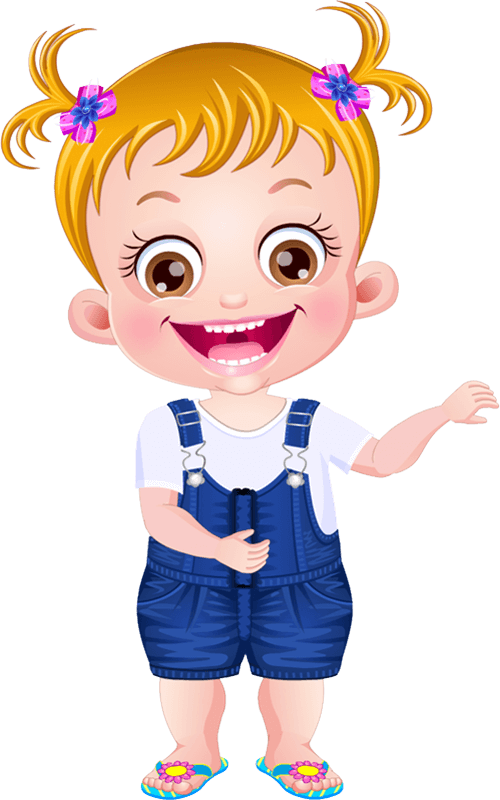
Baby Hazel opens her classroom lesson by matching animals, birds, and habitats with your help. The bright classroom board, animal picture cards, and smiling classmates give the lesson a gentle preschool learning mood. One rushed click can pick the wrong card, and Hazel’s curious little face makes that mistake feel like a tiny classroom oops.
In Baby Hazel Learn Animals, young learners join Baby Hazel and friends as they explore eating habits, animal products, and where different creatures live. The Baby Hazel education game uses HTML5 and JavaScript for browser play, mobile play, and free online access with no download. It supports iOS and Android, so a parent-friendly short learning session can happen at a desk, on a tablet, or during a calm break.
This animal learning game feels different from action-heavy kids’ games because it asks children to look, read, and choose instead of racing through noise. The developer is Baby Hazel, and the tone stays close to a gentle care game rather than a loud challenge. If a child clicks too fast before reading prompts, the quiz can slip away from the right answer, so the lesson quietly rewards patience.
Gameplay
The lesson moves through classroom assignments with colorful quiz icons, animal and bird lesson prompts, and small puzzles. Baby Hazel and her friends react as the child connects a creature to its food, product, or habitat. A near miss happens when the picture looks familiar, but the clue asks for eating habits instead of home, turning a fast guess into a wrong match.
This preschool animal quiz gives replay value through quizzes and matching tasks, not through high scores or pressure. Children can return to spot details they missed, like which animals give milk or which birds match certain puzzle pieces. Players who enjoy learning letters may also like Alphabetic Train, while number practice connects well with Math And Dice Kids Educational Game.
How to Play
Start by watching the classroom prompt, then choose the object, picture, or answer that fits Hazel’s assignment. This kids’ classroom activity often asks for careful reading before clicking, so slowing down can save the child from choosing the cute card instead of the correct one. When the bird puzzle pieces appear, one careless pick can break the order and make the task feel messy.
Solo play works well because the screen gives one clear classroom task at a time. The mouse controls help beginner-friendly learners interact without juggling keyboard commands. For more gentle school-themed exploration, Dr. Panda School offers another calm classroom setting with friendly routines.
Controls
The controls are mouse-only, which gives the game strong accessibility value for children still learning where keys are on a keyboard.
- Mouse — interact with Baby Hazel, classmates, classroom objects, quiz prompts, and puzzle activities
Features
Baby Hazel Learn Animals also uses expressive classroom reactions to show whether a choice feels right. Hazel’s cheerful curiosity, the smiling classmates, and the bright classroom board make each answer feel like part of a shared lesson. Pick too quickly, and the happy rhythm pauses as the classroom waits for the correct idea.
Animal picture cards, bird puzzle pieces, and colorful quiz icons create clear visual clues for young learners. The interactive learning title includes animals, birds, habitats, eating habits, and animal products without turning the page into a test sheet. This makes it a softer pick beside many Baby Games, where the tension comes from noticing details instead of reacting fast.
Similar Games
If this animal and bird lesson feels enjoyable, Desura has other gentle games built around observation, learning, or caring interactions. A missed match in these games can still sting a little, but the mood stays calm enough for children to try again. Each choice below keeps close to preschool-friendly play rather than racing, combat, or noisy competition.
- Funny Monkeys Coloring — a quiet animal coloring game with friendly monkey pictures. It suits children who liked the animal cards and want a slower creative task.
- Pokemon Spot the Differences — a visual puzzle game where players compare pictures and notice small changes. One overlooked detail can stop progress, making careful looking feel important.
- Flags Maniac — a quiz-based learning game focused on recognizing flags. It connects with the classroom quiz feeling because each answer asks the player to read, remember, and choose.
- Multiplication Simulation — a math practice game with a learning-first structure. It is a useful next stop for children ready to move from animal facts to number assignments.
Advantages
- Mouse-only interaction lowers frustration for young learners who are not ready for keyboard play.
- Short lesson segments help parents fit a casual session between other activities without losing the learning thread.
- Quiz and puzzle variety gives children a reason to replay and correct earlier mistakes.
- The calm classroom style keeps pressure low, so a wrong click becomes a chance to notice the clue again.
Frequently Asked Questions
What is Baby Hazel Learn Animals?
It is an educational game where Baby Hazel and her friends learn about animals, birds, habitats, food habits, and animal products through classroom activities.
How do you play Baby Hazel Learn Animals?
You play by using the mouse to interact with Baby Hazel, classmates, classroom objects, quiz prompts, and puzzle activities.
Can I play Baby Hazel Learn Animals on mobile?
Yes, it is built with HTML5 and JavaScript and can be played on mobile devices, including iOS and Android, through free browser access.
Video Gameplay - Baby Hazel Learn Animals

 Popit Vs Spinner
 Princess Cupcake
 Word Cross Jungle
 Murder
 Super Onion Boy
 Interstellar Run
 Castle Defense Online
 Cookie Crush Christmas 2
 DC Super Hero Girls: Bumblebee Robot Rescue
 Animals Pic Tetriz
 Rickshaw Driver
 Jungle Dino Hunter
 Nut Rush
 Bloom
Bloom
 Slenderclown Be Afraid Of It
 Idle Arks: Sail and Build
 Red boy and Blue Girl Forest Adventure
 Motorbike Simulator
 Real Car Parking Mania Simulator
 Real Bike Simulator
 Taxistory
 Four Colors World Tour Multiplayer
 Bakery & Bravery - Adventure Time
 Detective Photo Difference Game
 Masked Forces Unlimited
 Formula Drag
 Police Stunt Car
 Ice Cream Sundae Maker
 Ramp Crash
 Kingdom Rush
 Troll Face Quest: Video Memes and TV Shows: Part 1
 Vegas City Highway Bus: Parking Simulator
 Mad Truck Challenge Special
 FZ Monster Track
 Masked Io
 Princess Winter Style
 Bike Rush
 Gumball Water Sons
 3 Warrior Team Force
 Tower Defense
 Dragon City Destroyer
 Tricky Arrow
 Winter Clash 3D