









Tap Candy: Sweets Clicker
 Developer: Playtouch
Published: January 20, 2020
Controls: Touch / Click
Game Technology: html5, Construct 2
Compatible Devices: Mobile (Android)
About Tap Candy: Sweets Clicker
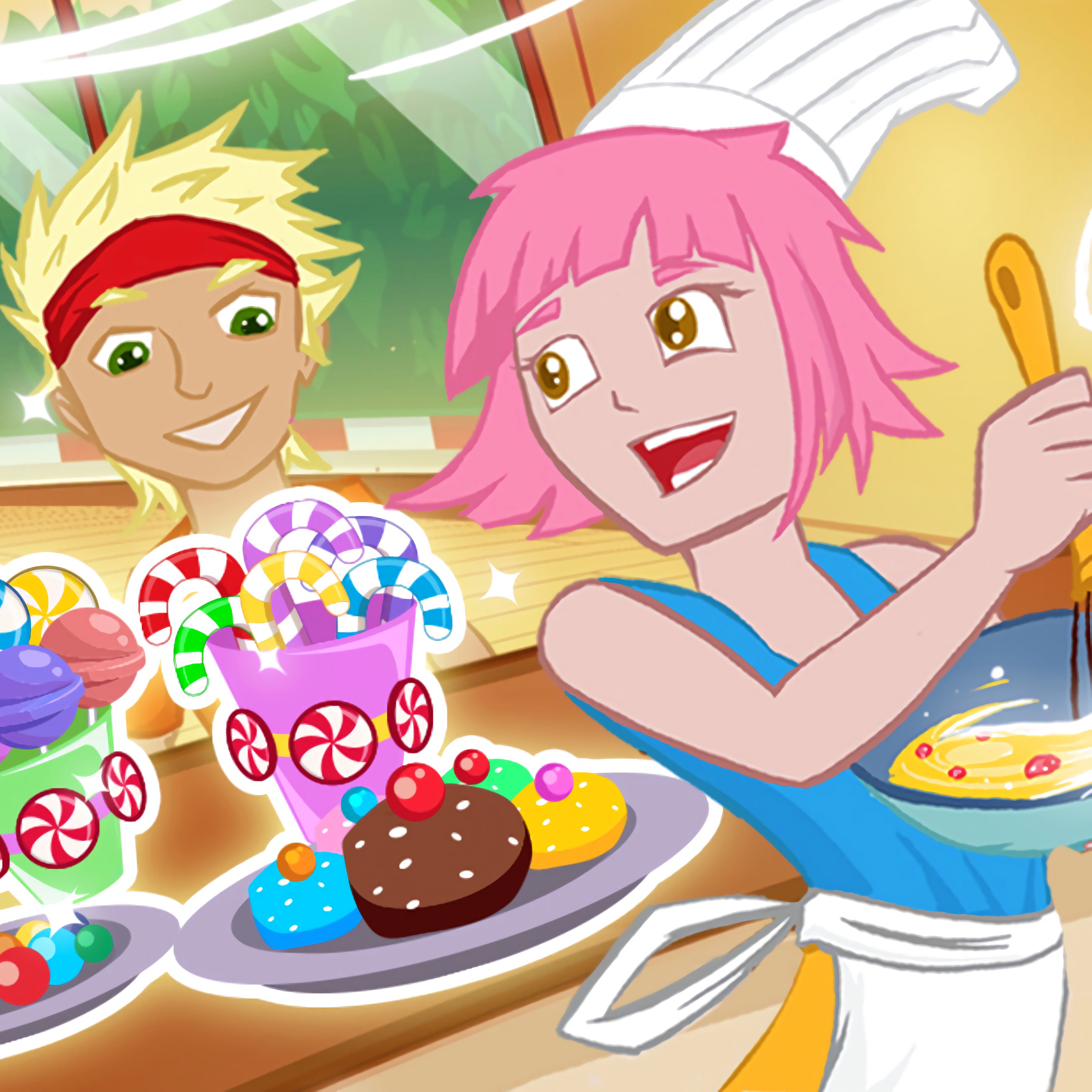
In a sugar-bright factory, tap rapidly to flood the counter with candies for waiting customers. Tap Candy: Sweets Clicker puts you in the apron of a candy artisan trying to keep sweets production moving before the packed customer counter gets impatient. The mood is cheerful, but the pressure sneaks up fast when bouncing candies are not arriving quickly enough.
This candy clicker runs in HTML5 and was made with Construct 2, so browser play starts with no download on Desura. It is built for solo play, with Android mobile support and touchscreen controls that feel natural when the rainbow sweets conveyor begins to move faster. One lazy stretch can leave the counter looking empty while orders pile up.
The candy production game is beginner-friendly because the goal is clear right away: make candy, satisfy customers, and grow your factory. Fans of sugary puzzle energy may also like Sugar Heroes, though this factory tapping challenge asks for more active hands than a match-focused candy game. Every upgrade feels like a small rescue when the next wave of customers appears.
Gameplay
Tap Candy: Sweets Clicker centers on clicker gameplay with constant tapping mechanics, resource growth, and casual progression. Each tap feeds the candy factory, while better production tools help sweets roll out faster. If you wait too long to improve the setup, customer satisfaction drops in spirit as the packed customer counter starts to feel like a traffic jam.
Unlike idle clickers that let numbers climb while you mostly watch, this idle-style candy game keeps your fingers involved. The speed challenge is knowing when to tap steadily and when to spend earned progress on upgrades. Players who enjoy building systems over time may also enjoy Merge Hotel: Family Story, which shares the satisfaction of scaling production, but with a calmer merge rhythm.
How to Play
In Tap Candy: Sweets Clicker, keep tapping to produce candy for children, parents, and every hungry visitor at the counter. Spend progress on upgrades before the factory slows into a sugary bottleneck. A smart upgrade timing strategy matters because waiting one round too long can make the next order rush feel out of reach.
Avoid inefficient tapping bursts that tire your hand without giving you a steady pace. Short, controlled tapping keeps the sweets production line moving, especially on mobile where comfort matters during quick sessions. When the spinning production tools lag behind the demand, that missed rhythm can turn a cheerful counter into a messy scramble.
Controls
The controls are made for direct factory work, whether you are using a mouse or an Android mobile touchscreen. Stay calm when orders stack up; one frantic burst can make your pacing fall apart.
- Tap / Left mouse button — produce candies for customers
- Upgrade buttons — improve production tools and increase candy output
Features
The sweets tapping game uses a bright candy factory theme filled with bouncing candies, cheerful orders, and a rainbow sweets conveyor that makes the screen feel busy. Visual feedback helps you sense when production is gaining momentum. When the counter fills just in time, the save feels sweet.
Upgrades give the factory replay value through production scaling. Each improvement changes how quickly resources grow, so later rounds can feel sharper than the first attempt. If you spend carelessly, the next stretch exposes the weak link immediately.
This casual speed game also rewards active attention more than passive waiting. The mobile-first control comfort makes repeated tapping manageable on a touchscreen, while desktop clicks still feel precise. The danger is overconfidence: one slow upgrade choice can make the factory feel crowded again.
Similar Games
If Tap Candy: Sweets Clicker makes you enjoy fast resource building and food-themed pressure, these Desura games stay close to that rhythm. Each one connects through tapping, production, upgrades, or quick order handling. Pick carefully; the wrong rhythm in these games can turn a neat plan into a cluttered mess.
- Weapon Shop — a production-focused game where tools, timing, and output matter. It fits players who like upgrading a workspace and watching each improvement change the pace.
- Burger And Burrito: Teen Titans Go! — a food game with order pressure and fast reactions. It has a similar counter-service tension where hesitation can make the queue feel wild.
- Snack Mahjong — a snack-themed matching game with quick visual decisions. It suits players who want colorful food pieces and short bursts of concentration without leaving the sweet shop mood.
Advantages
- Runs in the browser with no download, so the candy factory opens quickly on supported devices.
- Pairs active tapping with upgrades, giving more input than many slower Clicker Games.
- Uses cheerful food themes that also appeal to fans of Food Games on Desura.
- Supports quick sessions while still giving players a reason to return through bigger production numbers.
Frequently Asked Questions
What is Tap Candy: Sweets Clicker?
The game is a casual HTML5 tapping game where you produce candy, serve customers, and upgrade factory tools to increase output. Late taps can leave the counter crowded, so steady production matters.
How do you play this candy clicker?
You play by repeatedly tapping to make sweets, then spending progress on upgrades that help produce more candy faster. Good timing prevents the next customer rush from overwhelming your factory.
Can I play the sweets tapping game without downloading?
Yes, the game is built in HTML5 and can be played instantly in supported browsers without a separate download. Desura also offers other browser games with fast access, varied themes, and playful goals.
Video Gameplay - Tap Candy: Sweets Clicker


 Anti Virus
 Ball Maze
 Wonder Pony Coloring
 Wheely 8
 Police Cars Parking
 Fireboy and Watergirl 2: Light Temple
 From Nerd To Fab: Prom Edition
 Spongebobs Next Big Adventure
 Missiles Attack
 We Bare Bears: Bearsketball
 Pool Ball 3D
 Baby Hazel Doctor Play
 Penalty Challenge
 Tom and Jerry - Bandit Munchers
 Shape-Shifting
 Murder
 Planet Bubble Shooter
 Mexico Rex
 Pregnant Anna And Baby Care
 Trollface Quest: Horror 2
 ATV Quad Bike Impossible Stunt
 Food Pusher Challenge
 Titanic Heartbreak - Teen Titans Go!
 Eg Fidget Spinner
 Craftmine
 City Metro Bus Simulator
 City Cargo Trailer Transport
 Fruit Sudoku
 Zombie Hunters Arena
 Crazy Shooting King
 Monster Truck Rider
 Rooftop Shooters
 Mine-Craft.io
 Maria Coronavirus Shopping
 OffRoad Truck Simulator Hill Climb
 Baby Elsa Puppy Surgery
 Race Down
 DC Super Hero: Frenemies
 Tic Tac Toe Vegas
 Princess Story
 Car Parking Driving School
 Princess Slime Factory
 Untamed