








Geometry Vibes X-Ball

 Developer: gameVgames
Published: March 17, 2025
Controls: Mouse
Game Technology: html5, WebGL
Compatible Devices: Mobile (iOS, Android)
About Geometry Vibes X-Ball
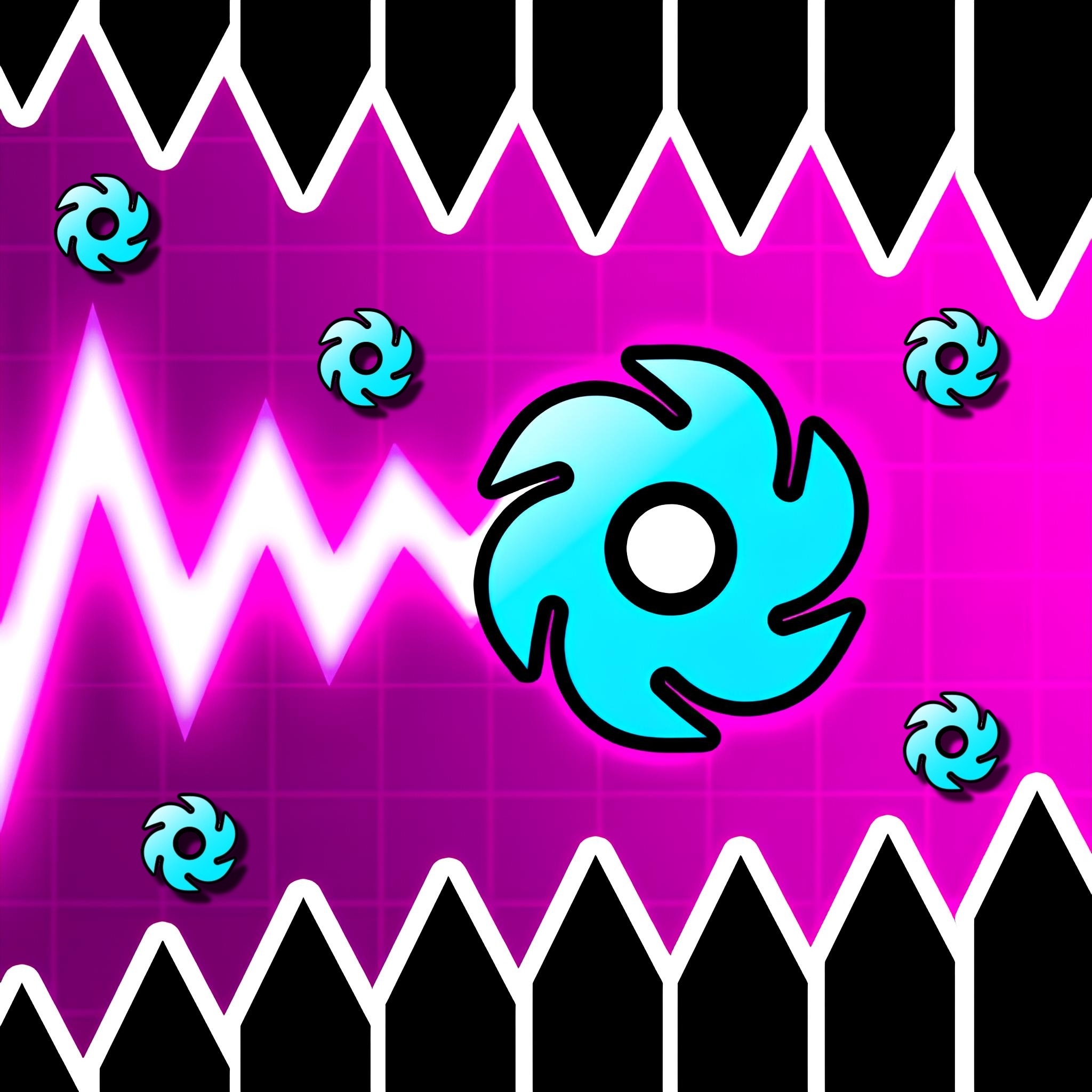
Launch the glowing X-Ball through neon traps while every click decides whether you soar or crash. Geometry Vibes X-Ball is an arcade adventure built around tight ball control, flying and diving, and the sharp panic of obstacle dodging at full speed. One overheld climb can send the ball scraping into sharp traps before you even see the next gap.
This geometry game runs in HTML5 and WebGL for browser play with no download on mobile and desktop. The neon tunnel look gives every mistake a bright warning flash, from spinning gears to an angular obstacle maze that closes in fast. Casual players can start with short attempts, but the game punishes sloppy reflex timing right away.
The WebGL arcade title adds X-Ball mode, interactive levels, a challenge section, a store, and progression beyond a basic dodge-and-repeat setup. That gives quick sessions a reason to turn into another run, then another, especially when a store unlock is just out of reach. Miss by a pixel, and the crash feels personal.
Gameplay
In Geometry Vibes X-Ball, the ball moves like a pulse through danger: hold to rise, release to drop, then thread the space between traps. The common beginner mistake is overholding upward flight, which makes the ball rocket into the ceiling path. Short taps give cleaner angles through spinning gears.
The neon obstacle challenge feels close to rhythm and reflex geometry games, where patterns matter as much as speed. A gear may look avoidable until the next barrier forces a dive at the wrong second. Players who like survival movement in Ski Safari may enjoy the same pressure of recovering from near misses.
Solo and local multiplayer both change the tension. In shared-screen runs, one player may clear a tight lane while another clips the edge and drops out instantly. That chaos makes this multiplayer ball game louder, riskier, and harder to ignore.
How to Play
Start by watching the first obstacle before holding the button. In this fast reaction game, success comes from short, controlled taps instead of long climbs. When the gap opens low, release early and let the ball dive before the ceiling trap steals your line.
Use the first few attempts to learn where the interactive levels hide their nastiest turns. The challenge section is less forgiving, so a rushed click can end a clean run right before the finish. Fans of Racing Games may recognize that same split-second pressure from fast cornering.
For local play, give each person enough keyboard space before starting. The 2-player/3-player/4-player modes become messy when hands collide, and one bumped key can send a ball straight into a gear. It is funny until it costs the round.
Controls
The controls are built around hold-and-release timing. Tap lightly when the path narrows, then commit only when the ball has space to climb. Panic holding is the fastest way to slam into the glowing ceiling.
- Left Mouse Button — hold to fly up, release to dive down
- Up Arrow — hold to fly up, release to dive down
- Up Arrow — Player 1 control in multiplayer
- H — Player 2 control in multiplayer
- L — Player 3 or Player 4 control in multiplayer
Features
The X-Ball mode gives this geometry ball game its own identity with fresh layouts, sharper pacing, and a glowing X-Ball that stands out against the neon tunnel. The store adds replay value because each run pushes progression toward new unlocks. Crash late in a level, and the lost progress makes the next attempt feel urgent.
Challenge levels raise the pressure with denser trap patterns and less recovery space. The angular obstacle maze can force a dive immediately after a climb, making hesitation dangerous. Players who enjoy balance and timing in Mad Skills BMX 2 may like how every tiny input changes the outcome.
Local multiplayer is the wild feature here. Shared-screen controls turn the same route into a noisy race of mistakes, saves, and sudden wipeouts. For players browsing Ball Games or Flying Games, this reflex-based adventure adds a sharper competitive edge.
Similar Games
- Bike Mania — a reflex-heavy ride with glowing track energy and obstacle timing. It suits players who like reading hazards quickly before one bad move ruins the run.
- Fast Madness — a speed-focused challenge where quick reactions decide how long you survive. The constant forward pressure makes it a good match for fans of rapid obstacle reads.
- Zombinators — a vehicle survival game with rough terrain, hazards, and momentum control. It is less geometric, but it shares the same danger of losing control at the worst moment.
These picks lean toward timing, motion, and instant correction rather than slow planning. If one run ends badly, the next attempt gives you a fresh chance to fix the exact mistake that caused the crash.
Players who want more wheel-based precision can also browse BMX Games on Desura. The risk is different, but the feeling is familiar: lean too far, react too late, and the run falls apart.
Advantages
- No download browser play with HTML5 and WebGL support.
- Playable on mobile and desktop with mouse, keyboard, or touch-style input.
- Solo and local multiplayer options for 2-player/3-player/4-player modes.
- Store unlocks and challenge levels add replay value after basic clears.
- Hold-and-release movement rewards precise reflex timing, not button mashing.
The biggest advantage is how quickly mistakes become lessons. A crash into spinning gears usually shows exactly which tap was too long. Fix that one moment, and the next run feels cleaner.
Desura’s one-eyed mascot would probably blink at the speed of this one. The screen gets busy fast, yet the goal stays readable: survive the lane in front of you. When the glowing X-Ball slips through a tight gap, the payoff is sharp and immediate.
Frequently Asked Questions
What is Geometry Vibes X-Ball?
It is a fast arcade geometry game where you guide a flying ball through obstacle-filled levels packed with traps, gears, and sharp timing challenges.
How do you control the ball in Geometry Vibes X-Ball?
You hold the left mouse button or Up Arrow to fly upward, then release to dive downward while timing each movement around obstacles.
Can you play Geometry Vibes X-Ball with friends?
Yes, it includes local multiplayer modes for 2, 3, and 4 players using separate keyboard controls on the same device, making it easy to switch from solo practice to shared-screen competition.
Video Gameplay - Geometry Vibes X-Ball



 Archer Warrior
 Combat Penguin
 Transport Dinos To The Dino Zoo
 Commando Sniper: Cs War
 US Army Missile Attack
 Barbie Dreamhouse Adventures
 Merge Cannon: Chicken Defense
 Number Rush
 Deathmatch Combat io
 Skate Hooligans
 Home Makeover Hidden Object
 Bob The Robber 4
 Small Archer
 Bowling Hero Multiplayer
 Parkour Block 3D
 Craig Of The Creek: Hydro Blast
 Anna Life Cycle
 Commando Sniper
 Mommy Cinderella Body Makeover
 Warfare Area
 Penalty Challenge Multiplayer
 Buggy Wuggy - Platformer Playtime
 5 nights at Pomni's. Digital circus!
 Mystery Chase - Scooby Doo
 Noob VS Pro 4: Lucky Block
 Gladiator True Story
 The Smurfs Skate Rush
 Demolition Monster Truck Army 2020
 Indian Cargo Truck Simulator
 Offroad Jeep Simulator
 Magic Tiles 3
 Drunken Duel
 Kawaii High School Teacher Dress Up
 Billie Eilish Makeover
 Army Combat
 Super Dino Fighter
 Cannon Shot
 Baby Hazel Pet Care
 Pill Soccer
 Bubble Game 3
 Princess Easter Hurly-Burly
 Scared Silly - Clarence
 Golf Cars Simulator