





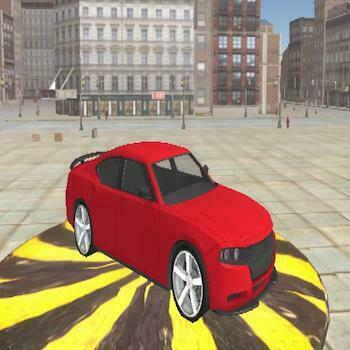

City Drive
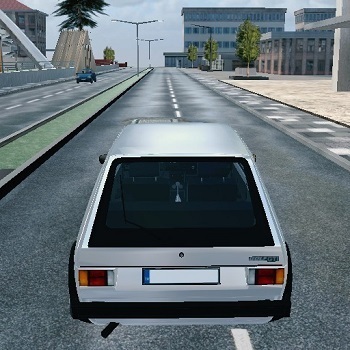 Developer: Fuego! Games
Published: April 08, 2026
Controls: Arrow Keys / W/A/S/D / Mouse / C / F
Game Technology: html5, WebGL
Compatible Devices: Mobile (iOS, Android)
About City Drive
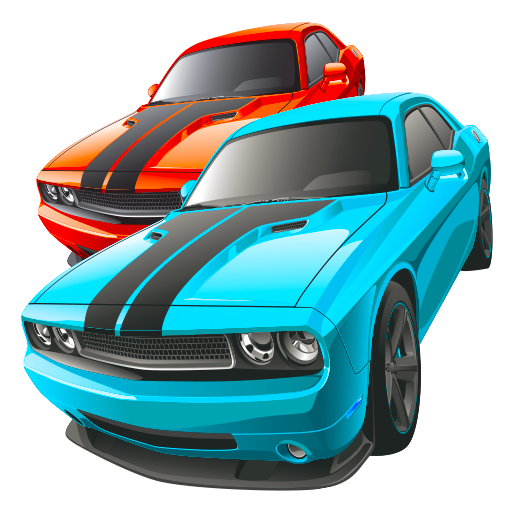
Slide a polished supercar through morning streets and chase stunt, speed, and drift triggers across the city. This free online car game drops you into sunlit city blocks where glossy supercar bodywork flashes past traffic-lined avenues. One sloppy turn can send your sports car wide into slow traffic, costing the clean line you needed for a mission.
The open-world driving title mixes free-roam cruising with structured objectives, so exploring the city map matters between challenges. A side road may lead to a new trigger, a better approach angle, or enough open asphalt to build speed before the next jump. Your dog companion rides along too, adding a small but memorable detail while you push for cleaner runs.
Built with HTML5 and WebGL, the game supports browser play with no download on desktop and mobile. Keyboard control gives sharper steering for tight drift triggers, while mobile input feels better for relaxed cruising and wide turns. If you enjoy Car Games with open streets and mission goals, this one leans into speed, customization, and driving skills.
Gameplay
City Drive turns the city into a moving test of speed missions, stunt challenges, and controlled slides. Nitro boost is strongest when used after a clean exit, not while your car is already drifting sideways. Hit it too early, and those nitro streaks carry you straight into a curb instead of the checkpoint.
Common drift mistakes usually come from oversteering or entering corners too fast. The drift challenge game rewards a smooth setup: brake before the turn, rotate the car, then hold the slide only as long as the road allows. Smoking tire marks look great, but a spinout burns time fast.
Between missions, explore alleys, ramps, and wider roads to learn the layout. Players who like faster road pressure may also enjoy Fast Madness, while Cargo Jeep Racing offers heavier vehicle handling with rougher momentum. Both make every bad landing feel costly.
How to Play
Start by driving through the city map and watching for mission markers. When a trigger appears, line up before you enter it instead of swerving at the last second. A rushed approach can turn a stunt ramp into a nose-first crash.
Use advanced nitro timing on straight exits, long avenues, and moments when slow traffic blocks your lane. Save the boost until the car is stable, then fire it to pass without clipping mirrors. In a browser racing game like this, one tiny bump can break the rhythm of a speed run.
Spend earned progress on car upgrades and customization to improve the feel of your sports car. Better performance gives you more room to recover after a bad corner, but it does not replace control. The reward comes when a messy route becomes one clean pass through traffic.
Controls
The controls cover both car movement and on-foot camera control. Use the keyboard for sharper reactions, especially when traffic closes in or a drift angle starts to collapse near a mission marker.
- Arrow Keys / W, A, S, D — Drive, steer, brake, or move the character
- C — Change camera
- F — Activate nitro
- Mouse Orbit — Look around
Features
City Drive also gives the garage a real role through car upgrades and customization. Tuning your ride changes how the urban driving simulator feels during sharper turns and longer sprints. Pick the wrong upgrade path, and a high-speed section may feel twitchy when traffic gets tight.
The camera change option helps when you need a better view of ramps, corners, or nearby mission markers. A low angle makes glossy bodywork and nitro streaks feel faster, while a wider view helps spot traffic-lined avenues before you commit. The wrong view at the wrong moment can hide a curb until impact.
Replay value comes from returning to missions with a stronger car and better route knowledge. Stunt, speed, and drift objectives give different reasons to revisit the same streets instead of repeating one route. Fans of Racing Games get more than lap times here; the map itself becomes part of the challenge.
Similar Games
- Pickup Driver — a vehicle driving game with road control, timing, and heavier handling. It is a good match if you like keeping a vehicle steady when the route gets rough.
- Animal Buggy Racing — a colorful racing game with boost-style momentum and quick reactions. A missed jump or rough landing can cost the lead fast.
- Tractor Express — a slower but skill-based driving game where balance matters over raw speed. It connects well for players who enjoy vehicle control under pressure.
These picks stay close to cars, roads, speed, and vehicle handling rather than drifting into unrelated genres. If you want more open driving choices, Desura’s Driving Games section is a natural next stop.
Advantages
- Free browser play with no download, so the run starts without installing a file.
- Three mission styles create variety: speed, stunt, and drift challenges.
- Mobile support makes cruising easy, while keyboard input gives tighter control for risky corners.
- Exploration adds value because new routes can reveal cleaner mission approaches.
Frequently Asked Questions
What is City Drive?
It is a free online driving game where you steer a customizable supercar through a city map, complete speed, stunt, and drift challenges, and upgrade your vehicle.
How do you play City Drive?
You drive around the city, use nitro to pass traffic, trigger missions, drift through corners, perform stunts, and improve your car as you progress.
Can I play City Drive without downloading?
Yes. It runs in the browser with HTML5 and WebGL technology, so you can play instantly without installing an app or game file.
Video Gameplay - City Drive

 Superman Nuclear Rescue
 Amazing Word Twist
 Custom Gun Creator
 Bubble Shooter Planets
 High Shoes
 Princess Slime Factory
 Torture the Trollface
 Superhero.io 2: Chaos Giant
 Winter Wonderland Mahjong
 Star Wars Rebels: Special Ops
 Anime Princess Dress Up
 Survival Shooting War Game Pixel Gun Apocalypse 3
 Garden Tales
 Cannon Shot
 Pizza Rush
 Unicorn Chef Design Cake
 Steam Camp - Ben 10
 Healing Rush
 Dora Dot to Dot
 Adam and Eve Go 3
 My Dolphin Show 8
 Gun Evolution
 Geometry Vibes
 Wars of Worlds
 Baby Hazel Learns Vehicles
 Frozen Rush
 Angry Sharks
 Typing Fighter
 Knife Dart
 Zombie Apocalypse
 Motorbike Racer
 Offroad Oil Tanker Truck Drive
 Agent P: Rebel Spy
 Transformers
 Angry Flying Zombie
 Golden Scarabaeus
 GT Cars City Racing
 Drone Destruction: Ben 10
 Bus Mountain Drive
 OffRoad Racing Adventure
 Coviddestroyer
 Star Battle
 Golf Cars Simulator