









Fort Builder Sandbox
About Fort Builder Sandbox
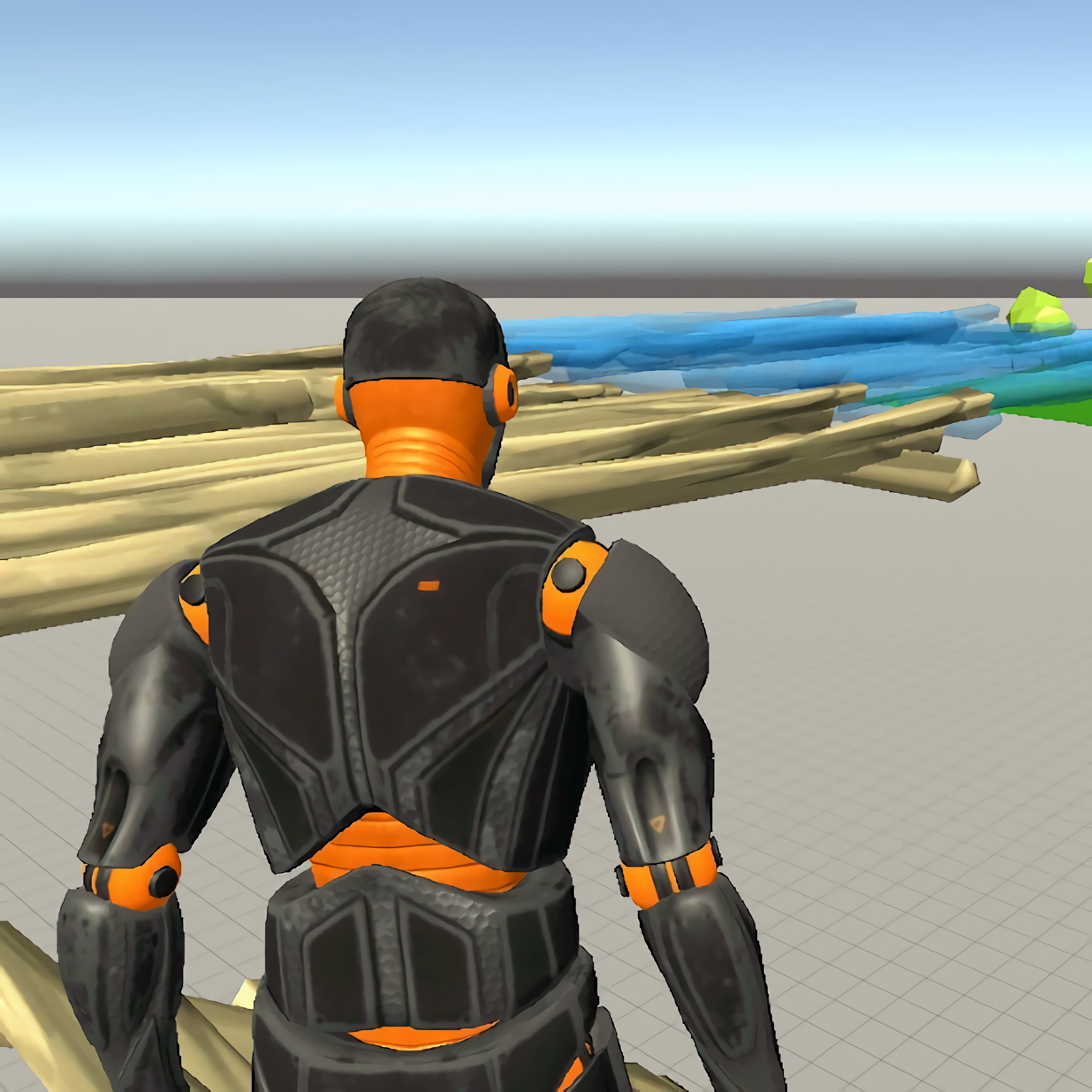
Stack walls, ramps, and towers into a custom fortress inside the open build zone of Fort Builder Sandbox. This fort-building game gives you a 3D environment where planning matters as much as placing pieces. A crooked first wall can turn a neat base into a lopsided makeshift fortress, so every early choice carries weight.
As a sandbox game on Desura, it is built around free building, solo play, and open-ended objectives rather than a fixed mission path. You can shape defensive structures, test sightlines from a lookout tower, or rebuild a corner that feels too exposed. The browser building game is a free online game with no download, so instant play is part of the appeal for casual players and creative players.
The smartest approach is layered. Start with a foundation, add stacked wall panels, place a wooden ramp where movement feels natural, then raise height only when the base can support it. Push too high too early, and the structure can feel awkward to navigate when one bad angle blocks your own route.
Gameplay
In this creative sandbox, block placement is the main decision point. Each floor, wall, ramp, or tower changes how the fort feels from the inside. A narrow entrance may look safe until you realize there is no clean escape path when you circle back through your own build.
The free online builder feels more thoughtful than survival or battle-building games because there is no rush from enemies or shrinking zones. Instead, the pressure comes from your design choices. If a lookout tower has poor sightlines, the whole base feels blind from the top.
Players who like construction planning may also enjoy Wall Fixing, where shape awareness matters in a different way. For a blocky world with more movement and player-made spaces, Kogama Real Pvp adds a rougher competitive edge. Both make the consequences of placement easy to notice.
How to Play
Begin this construction sandbox by choosing a flat area in the open build zone. Place broad pieces first, then connect walls and ramps around them. Advanced structure planning works best when you think foundation first, sightlines second, height third, and decoration last.
Common beginner building mistakes include making every wall the same height, placing ramps too steeply, and leaving no room to turn. One misplaced corner can trap movement and make a tall tower feel useless. Slow camera adjustments help you check angles before the fort becomes crowded.
For accessibility and comfort, keep the camera steady while placing small pieces and rotate the view before building upward. Desktop play often gives the clearest control over precise placement. If your device offers mobile-friendly input, use shorter building steps so your view does not swing past the piece you meant to place.
Features
Replay value comes from redesigning forts, not from chasing a single correct answer. A square base can become a layered bunker, then a raised platform, then a strange maze of connected ramps. When a redesign finally opens a clean route from ground level to the tower, the payoff is easy to feel.
The visual language is practical: wooden ramp sections, stacked wall panels, tall corners, and open gaps you can close or expose. Small changes alter the mood of the base. Remove one wall, and a protected room suddenly feels like a risky balcony.
Short sessions can focus on one test build, while extended building sessions let you refine a full layout. Beginner-friendly tools make experimentation less punishing, but careless expansion still creates problems. Build too wide without landmarks, and your own fort starts to feel like a maze.
Similar Games
If this base-building playground makes you want more planning-heavy play, Desura has nearby choices with construction, placement, or creative problem solving. The closest matches are not pure copies, but they reward careful setup. One rushed decision can still leave you with a weak layout or a poorly prepared space.
- Noob VS Pro 1 — a blocky adventure with building-world energy and obstacle planning. It suits players who enjoy rough, playful spaces where every route can turn messy fast.
- Weapon Shop — a crafting-focused game about preparing useful gear and thinking ahead. It connects to the planning side of fort construction more than the open building side.
- Dr. Panda School — a playful open-space game where players interact with rooms, objects, and arranged environments. It is a softer pick for creative players who like exploring made-up spaces.
Advantages
- Free building gives you room to test a makeshift fortress, tear it down, and try a cleaner layout.
- Open-ended objectives leave space for creative mode thinking instead of forcing one solution.
- Fort planning teaches useful habits: build a base, check movement, then add height.
- Instant play in a browser game means you can start designing without installing files.
Frequently Asked Questions
What is Fort Builder Sandbox?
It is a free online building game where players create forts, bases, and structures in an open sandbox environment. The main appeal is experimenting with shape, height, and defensive layouts.
How do you play Fort Builder Sandbox?
You play by selecting building pieces, placing them in the game world, and arranging walls, ramps, floors, or towers into a custom fort. A strong layout usually starts low and becomes taller after the foundation feels stable.
Can I play Fort Builder Sandbox without downloading?
Yes, it can be played in a browser without downloading when it is available as an instant-play web game. That makes it easy to try alongside other Sandbox Games on Desura.
Video Gameplay - Fort Builder Sandbox



 Anti Virus
 Baby Hazel Pet Hospital
 GT Ghost Racing
 Samurai Warrior: Ben 10
 Cake Master Shop
 Inca Adventure
 Two Punk Racing
 We Bare Bears: French Fry Frenzy
 Reindeer Escape
 Sploop.io
 Treasure Rush: We Baby Bears
 Toilet Rush
 Real City Truck Simulator
 Disneyland Fashion
 Storm City Mafia
 Vsco Girl Fashion
 Garden Tales
 Princess Cuffing Season
 Stinkfly Showtime - Ben 10
 Trollface Quest Video Memes and TV Shows
 OffRoad Truck Simulator Hill Climb
 Merge Cannon: Chicken Defense
 Angry Checkers
 Super Cricket
 Pizza Master
 Pixel Battlegrounds.IO
 Funny Ragdoll Wrestlers
 Fps Shooter 3d City Wars
 Jetpack Joyride
 Beach Restaurant
 Tweety's Pipe Pranks: Looney Tunes
 Indian Cargo Truck Simulator
 Miami City Crime Simulator: City Mafia War
 Stickman Army The Defenders
 Real Gangster Simulator Grand City
 Supra Drift 3D
 Monsters' Wheels Special
 Winter Clash 3D
 Space Blaze
 Bubble Shooter Fruits
 Frozen Rush
 Penalty Challenge Multiplayer
 Super Dino Fighter