









Batman Beyond Coloring Book
About Batman Beyond Coloring Book
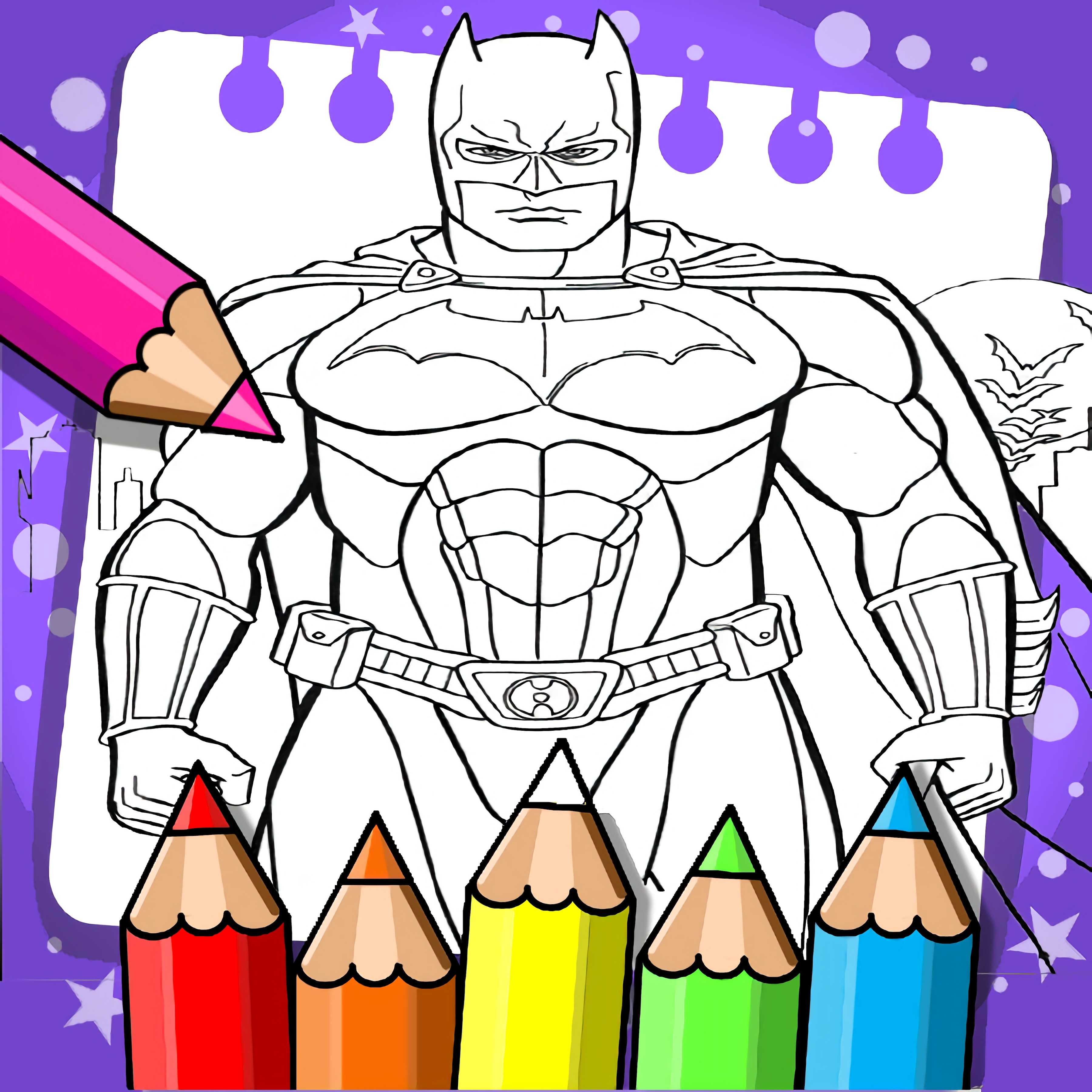
Color Terry McGinnis’s sleek batsuit as futuristic Gotham waits in bold comic panels. The neon Gotham skyline, sharp bat emblem, and glowing red wings give every page a high-tech Batman Beyond mood without asking you to fight villains or dodge danger. Batman Beyond Coloring Book turns superhero coloring into a calm browser game built around digital paint, line art, and creative expression.
The Batman coloring activity is less about speed and more about choosing the right color palette for comic-style contrast. A deep black suit looks dramatic, but overusing dark colors can swallow the comic ink outlines and make the cyberpunk city shadows feel muddy. One careless fill can flatten a whole panel, while a bright red accent can make Terry McGinnis look ready to leap across the rooftops.
This free online coloring game supports relaxed HTML5-style play with no download on desktop or mobile. Kids and families can use it for quick solo sessions, especially because there is no timer pressing every choice. Compared with faster superhero action games like Teen Titans Go: Bad Guy Blitz or Black Panther Vibranium Hunt, the tension here comes from making the artwork look right before you call it finished.
Gameplay
In Batman Beyond Coloring Book, you choose a scene, pick colors, and apply them to clean superhero coloring artwork. The fill tool makes broad areas easy to cover, but the real fun is deciding where the bold colors belong. Place too much red in one corner and the panel can feel lopsided; balance it well and the sharp bat emblem snaps into view.
The futuristic Gotham art game rewards patient looking. Before adding digital paint, scan the comic panels for suit pieces, background shapes, and spaces that need contrast. If the neon Gotham skyline blends into the batsuit, the whole image loses that Batman Beyond edge.
Casual gameplay does not mean careless play. A beginner mistake is filling every shadow with the same black, which can hide details that should stay visible. Try dark gray for armor plates, black for the deepest cyberpunk city shadows, and red only where you want the eye to land first.
How to Play
Start this comic book coloring title by selecting a drawing from the available Batman Beyond-style pages. Choose a shade from the color palette, then tap or click the area you want to fill. If a section looks too heavy, switch colors and rebuild the scene with a lighter choice before the whole panel feels buried.
Comic-style contrast works best when bright colors have room to breathe. Use dark tones for Terry McGinnis’s suit, then add red details to the wings, emblem, or tech accents. One tiny highlight can save a flat-looking image, while one oversized dark patch can make the hero disappear into the background.
Players who enjoy slower creative play can also browse Coloring Games on Desura for more paint-and-fill activities. Fans of the character can look through Batman Games when they want a different pace. The browser coloring book stays gentle, but the choice still matters every time a blank white area turns into part of Gotham’s night.
Features
Batman Beyond Coloring Book keeps the artwork centered on recognizable futuristic superhero imagery. Expect comic ink outlines, angular suit shapes, city silhouettes, and red-black design cues connected to the young Batman. If the colors clash too loudly, the page can feel chaotic instead of sleek.
Replay value comes from recoloring the same scene with new palettes. One run can use classic black, red, and gray, while another can test cooler blues against the neon Gotham skyline. The same line art can feel like a rooftop patrol, a tech poster, or a shadowy comic cover depending on your choices.
Simple controls also give this creative Batman game an accessibility benefit. There are no combo inputs, no enemy attacks, and no countdown that punishes slow decisions. That makes each page easier to approach, though rushing still has a cost when a rushed color choice turns a clean batsuit into a blotchy mask.
Similar Games
If you like calm creative pages, Desura has other games that share the same relaxed art-making spirit. Some lean into coloring, while others focus on character care, style choices, or kid-friendly problem solving. The danger is different in each one: a wrong shade, messy outfit, or missed detail can change the whole final look.
- Funny Monkeys Coloring — a relaxed coloring game with friendly animal drawings and simple paint choices. It is a good match for players who like filling line art without pressure.
- Descendants Hair Salon — a character styling game where color, hair, and makeover choices shape the final design. Pick the wrong combination and the look can feel off-balance fast.
- Unicorn Dress Up Girls — a bright creative game centered on outfits, colors, and playful decoration. It fits players who enjoy building a visual theme piece by piece.
- Dr. Panda School — a gentle activity game with kid-friendly scenes and simple interactions. It offers a softer pace for players who want discovery without combat.
- Pokemon Spot the Differences — a visual attention game built around familiar characters and careful observation. One overlooked detail can stop progress, so it pairs well with players who like studying pictures closely.
Advantages
- Calm superhero art play with no timer, so a single color decision can be fixed before it ruins the whole page.
- Free online access through a browser with no download, making it easy to open on desktop or mobile.
- Strong Batman Beyond mood through glowing red wings, cyberpunk city shadows, and high-contrast comic panels.
- Good replay value because the same drawing can be recolored with darker, brighter, or more experimental palettes.
Frequently Asked Questions
What is Batman Beyond Coloring Book?
It is a free online superhero coloring game where players add colors to Batman Beyond-inspired comic artwork featuring Terry McGinnis, futuristic Gotham, and bold high-tech suit details.
How do you play Batman Beyond Coloring Book?
You play by choosing a color, selecting part of the drawing, and using the fill tool to complete the artwork. Careful contrast matters because too many dark shades can hide the comic ink outlines.
Can I play Batman Beyond Coloring Book without downloading?
Yes, you can play it in a browser with no download on desktop or mobile devices. Desura also offers more free online creative games if you want another relaxed art or character activity afterward.


 God Simulator
 Space Galaxcolory
 Shark Attack
 Bus Mountain Drive
 Forest Wars
 Chibi Fighter Dress Up Game
 Color Galaxy
 Clara Cosmetic Surgery
 Slenderman Must Die Silent Forest
 National Class
 World Trivia
 Squid Challenge
 Ravens Nightmare - Teen Titans Go!
 Extreme Golf
 Brain It On: Launch Ball
 Picture Puzzle
 City Drive
 Baby Hazel Leg Injury
 Battleship War Multiplayer
 Pixel Battlegrounds.IO
 Crazy Dentist
 Traffic Jam 3D
 OK Parking
 Italian Brainrot: Neuro Beasts
 Gumball - BMX Champions
 Ben 10: Alien Rivals
 Anime Kawaii Dress Up
 Pill Soccer
 Wheely 8
 Bank Robbery
 CrazySteve.io
 Sky Battle
 Five Nights At Freddy's Game
 American Football Kick
 Baking Apple Cake
 City Cargo Trailer Transport
 Dora Spot The Difference
 Elsa Princess Beauty Surgery
 Princess Collective Wedding
 Snow Ball Warrior
 Flappy Ghost Adventure
 Super Bowmasters
 Icecream Factory